Browse all docsPart 2 of 8
Create Your First Catalogue
Three ways to start a catalogue in Quicktalog: from a blank page, from an AI draft, or by importing a photo of a printed menu. Pick the fastest route for you.
Part 2 of 85 min read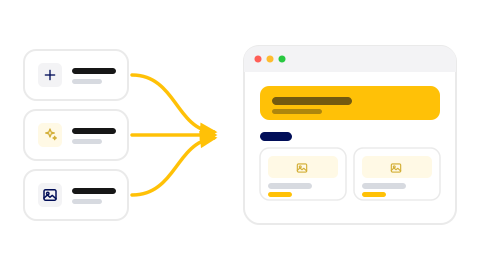
The hardest part of any catalogue is the empty screen at the start. Quicktalog gives you three ways past it. You can start from a blank page, describe your business and let AI draft it, or upload a photo of a catalogue you already have and let the import read it. All three land you in the same builder, so you can mix and match.
Option one: start from scratch
Begin with a blank catalogue and add each item yourself. This is the simplest route when you have a short list or you know exactly how you want it laid out. You name the catalogue, then add items and categories one by one in the builder.
Option two: generate with AI
Open the AI Catalogue Generator and tell it what your business is. A short, clear description works best, something like a neighbourhood Italian restaurant with antipasti, pasta, mains, and a few desserts. Choose a theme, decide whether you want matching images created for you, and generate. The catalogue builds in the background and is ready in about five minutes.
Step 1: Describe your business
Enter your business name and type, then write one or two plain sentences about what you offer and how you group it.
Step 2: Pick a theme and image option
Choose a starting theme. Turn on Generate Images if you want AI to create matching photos for your items.
Step 3: Generate and wait a few minutes
The job runs in the background. You can leave the page and watch its status from the dashboard while it finishes.
Step 4: Refine the draft
Open the result in the builder. Fix names, set your real prices, and trim anything that does not fit.

Option three: import from a photo
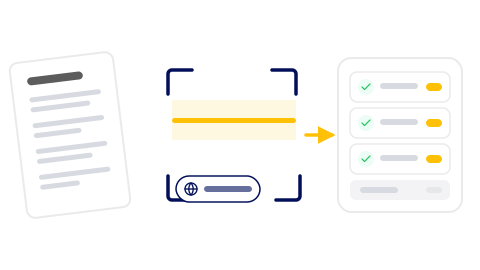
If your catalogue already exists on paper, photo import is the fastest route. Open Scan and Import, upload a photo or PDF, and choose the language of the text from more than thirty options. Quicktalog reads the page and sorts it into items with names and prices, which you then check and clean up.
The import is only as good as the source. A flat, well lit photo of a clean menu reads almost perfectly. A creased page shot at an angle in dim light is harder to read, so the cleaner your image, the less you fix afterward.
Which route to pick
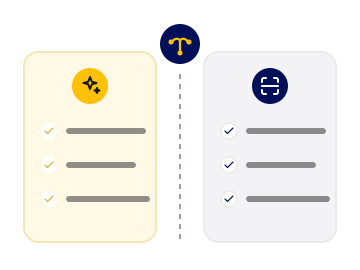
Choose AI when you are building something new and want a structure and starter descriptions to react to. Choose photo import when the catalogue already exists and you mainly want to avoid retyping it.
Reach for AI when
- You are building a catalogue that does not exist yet.
- You want a ready structure and a set of starter descriptions.
- You only have the idea in your head, not a document to upload.
Reach for photo import when
- The catalogue already exists on paper or as a PDF.
- You mainly want to avoid retyping every line by hand.
- You can get a clean, well lit image of the source.
Whichever route you choose, the next step is the same. You open the builder and make the catalogue yours. That is where the next topic picks up.
Was this helpful?